Vector Floral Brushes for Illustrator: Unlocking Vintage Flourishes
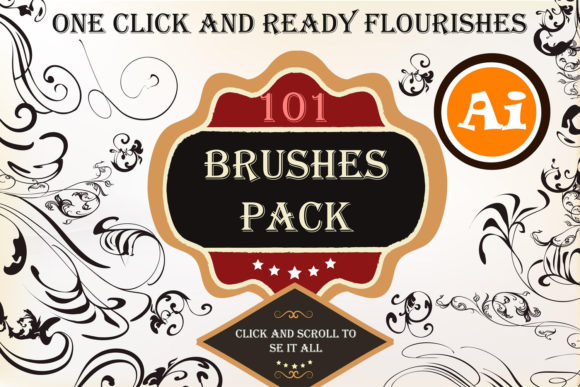
Every designer eventually hits a creative wall where they need intricate detail without spending hours drawing individual petals and swirls. If you work within the Adobe ecosystem, particularly creating invitations, logos, or branding materials, you know the struggle of finding assets that feel organic yet remain scalable. This is exactly where the Vector Floral Brushes for Illustrator collection changes the game. It offers a streamlined way to inject personality into your projects using a library of 101 distinct brushes designed to mimic vintage calligraphy and botanical elements.
Why These Brushes Outperform Static Calligraphic Flourishes
Many designers ask why they should use dynamic brushes rather than simply dropping in a static vector flourish they found online. The difference lies in flexibility and creative output. When you use a static asset, you are limited to the shape the artist originally drew. You might find a swirl that is 90% perfect, but that remaining 10% forces you to distort the vector or spend time re-drawing the anchor points.
With the Vector Floral Brushes for Illustrator, you are not just placing a shape; you are defining a stroke. This means the flourish adapts to the line you draw. If you need a long, sweeping curve for the bottom of a wedding invitation, you simply draw that path. If you need a tight, small spiral for a logo detail, you draw a small loop. The brush engine stretches the artwork along that path. This results in a library of effectively infinite variations. A single brush can create hundreds of unique flourishes depending on the length, curvature, and angle of your line work.
The aesthetic here leans heavily into vintage design. These are not modern, geometric shapes. They carry the personality of hand-drawn botanicals and classic typography swashes. This makes them ideal for projects that require a sense of history, elegance, or artisanal craftsmanship.
Practical Applications for Brand Identity and Marketing
Understanding the tool is one thing; knowing where to deploy it is another. These brushes are versatile assets that fit well into several specific design workflows.
Editorial Design and Print Layouts
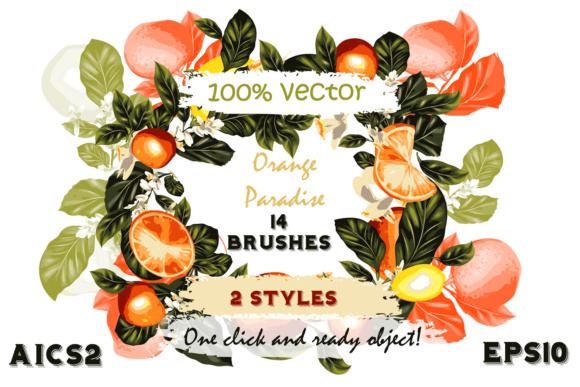
For publishers and content creators working on print media, visual hierarchy is crucial. You can use these floral brushes to create distinct drop caps or to frame pull quotes in a magazine layout. Because the assets are 100% vector, they will print crisply at any resolution, whether you are working on a small postcard or a large-scale banner. The vintage style pairs exceptionally well with serif fonts and script fonts, creating a cohesive look for classic invitations or book covers.
Logo Design and Branding
When building a brand identity for a boutique, a bakery, or a wedding planner, the details matter. Using these brushes allows you to create custom monograms or underline a logotype with a unique swirl that no other brand will have. Unlike downloading a generic ornament from a stock site, using the brush tool ensures your flourish is bespoke to your specific typography.
Digital Content and Social Media Graphics
In the fast-paced world of social media, stopping the scroll is essential. Adding hand-drawn elements to your digital ads or Instagram posts adds a human touch that rigid geometric shapes cannot replicate. These brushes are perfect for creating borders around holiday sale graphics or adding decorative separators between text blocks in a Pinterest pin.
Integrating Brushes into Your Design Workflow
One of the strongest selling points of this collection is the ease of use. You do not need to be an Illustrator power user to benefit from them. The process is designed to be seamless so you can focus on creativity rather than technical setup.
- Installation: You simply open the provided .AI or .EPS file. The brushes are already loaded into the Brush Library. You can drag them into your main panel or save them as a permanent library.
- Application: Select the Brush tool (B), choose a style from the library, and start drawing. The stroke updates in real-time.
- Customization: Once the path is drawn, you retain full control. You can change the stroke weight to make the floral elements thicker or thinner. You can also change the stroke color instantly. This allows you to match the exact color palette of your client's brand identity without expanding the appearance.
This non-destructive workflow is a massive time saver. If a client asks for a "slightly more curved" ornament, you don't have to redraw it from scratch. You simply adjust the bezier handles of your path, and the brush updates automatically.
Evaluating Fit and Font Pairing Strategies
While these are brushes and not a traditional typeface, they act as decorative text elements and require the same strategic thinking as choosing a display font. To get the most out of the Vector Floral Brushes for Illustrator, consider how they interact with your typography.
Because these brushes have a vintage, often ornate personality, they work best when paired with fonts that have some character but remain legible. For example:
- With Serif Fonts: Pairing these flourishes with a sturdy serif font creates a classic, high-end editorial look. Think wedding magazines or luxury packaging.
- With Sans Serif Fonts: Using a clean, modern sans serif font creates a nice contrast. The modernity of the text grounds the ornate nature of the brushes, making the design feel updated rather than dated.
- With Script Fonts: Be careful here. If the script font is too decorative, the brushes might compete for attention. Use the brushes as background frames or subtle underlines rather than directly touching the script text.
Maximizing Value from Your Design Assets
For entrepreneurs and small business owners who handle their own marketing, investing in quality design assets is about longevity. You want tools that can be used across multiple campaigns without looking repetitive.
With 101 brushes included, the variety is substantial. You have everything from delicate leaf vines to heavy, bold swirls. This range allows you to maintain a consistent aesthetic—using the lighter brushes for internal page layouts and the bolder brushes for cover designs—without needing to purchase additional kits.
Furthermore, because these are vector files, they are infinitely scalable. This is a crucial factor for commercial use. You can use the same brush for a tiny favicon on a website and a large-format trade show banner without losing quality. This scalability ensures that your brand identity remains consistent across all physical and digital touchpoints.
Ultimately, the Vector Floral Brushes for Illustrator are more than just decorative doodles. They are functional tools for building visual hierarchy and adding texture to flat designs. Whether you are crafting a vintage logo, designing a book cover, or creating social media content, these brushes provide a quick, customizable, and professional way to achieve that hand-crafted look.