Elevate Your Art: 30 Cloud Illustrator Brushes for Dreamy Effects
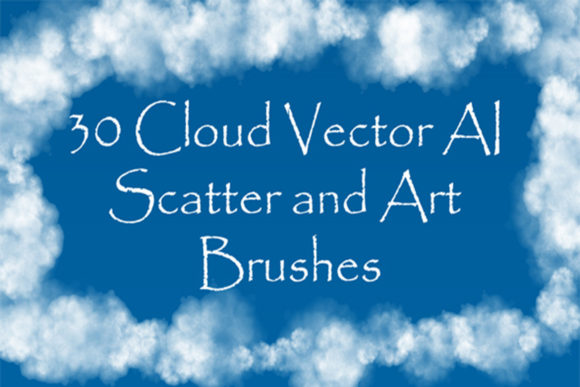
When you are working on a design that needs a bit of atmosphere, finding the right texture can be a headache. Whether you are creating a logo, designing packaging, or crafting social media graphics, adding realistic smoke, steam, or fog is often the missing piece that ties the whole composition together. That is exactly why having a reliable set of 30 Cloud Illustrator Brushes in your toolkit is a game-changer. These are not just static images; they are dynamic vector tools that allow you to draw natural-looking effects directly into your work without sacrificing quality.
The core appeal of this set lies in its versatility. The collection includes a mix of 23 scatter vector brushes and 7 art vector brushes. If you are not sure what that means in practice, think of it this way: the scatter brushes are perfect for creating those randomized, organic swarms of vapor or haze that look natural and unpredictable. The art brushes, on the other hand, are excellent for drawing specific shapes and ribbons of smoke that flow along a path. Together, they give you the ability to create endless variations of steam, mist, and overcast skies. It is a massive time-saver compared to trying to hand-draw these effects with the pen tool.
Practical Applications for Modern Branding
One of the biggest challenges in brand identity work is finding design assets that feel unique. We have all seen the same stock vectors used over and over again. By utilizing these cloud Illustrator brushes, you can inject a specific mood into your projects that feels custom-made. For instance, if you are working on packaging design for a coffee brand, using the steam brushes to create a wispy, warm aroma coming from the cup adds a sensory element to the visual. It makes the viewer almost smell the coffee.
Similarly, in editorial design or web design, these brushes are incredibly effective for creating backgrounds. Instead of a flat color, you can layer different opacities of mist to create depth. This works exceptionally well for posters, album covers, or hero images on websites. Because they are vector-based, you can scale them up to fit a billboard or down to fit a business card without losing the crispness of the edge. This scalability is a hallmark of premium font and vector libraries—quality remains consistent regardless of size.
Color and Compatibility: Making It Work for You
A practical note for designers: these brushes are optimized for use on non-white backgrounds. This is a crucial detail. If you try to use them on a stark white canvas, you won't see the effect. However, once you place them over a dark background, a gradient, or a photo, the texture pops instantly. You have full control to change the color of the smoke or clouds to match your palette. Whether you need neon pink haze for a cyberpunk aesthetic or soft grey mist for a minimalist landscape, the color options are limitless.
Compatibility is always a concern with design assets. This set is compatible with Illustrator CS5 and later versions, which covers the vast majority of professionals using the software today. The package includes native AI files and EPS 10 files, ensuring you can open them in almost any vector editor. For those who like to customize their tools, the included PDF help file is a nice touch. It guides you through the process of making your own brushes or modifying these to fit specific project needs. This kind of flexibility is something you rarely see with standard sans serif font or serif font packs, making this a highly practical addition to your library.
Integrating Atmosphere into Your Design Strategy
Think about how you want your audience to feel when they look at your work. Modern typography often focuses on clean lines and readability, but pairing a sharp, geometric display font with soft, organic cloud elements creates a beautiful contrast. It softens the edges of a corporate design or adds a magical realism to a children’s book illustration.
When evaluating if these brushes are right for your next project, consider the visual hierarchy. If you have a bold logo design or headline set in a heavy typeface, surrounding it with a light mist can actually help it stand out more by creating a "halo" effect. It draws the eye to the center of the action. This is a technique often used in movie posters and high-end advertising to create a cinematic feel.
Ultimately, the goal of any creative font or texture tool is to enhance the message, not distract from it. The 30 Cloud Illustrator Brushes are designed to be supportive actors in your design. They sit in the background, adding depth and emotion, allowing your main content—be it text, photography, or illustration—to shine. If you are looking to move beyond flat, static designs and start creating environments within your art, this set provides the essential tools to get started. It is a practical investment for anyone serious about elevating the quality of their social media graphics and print materials.