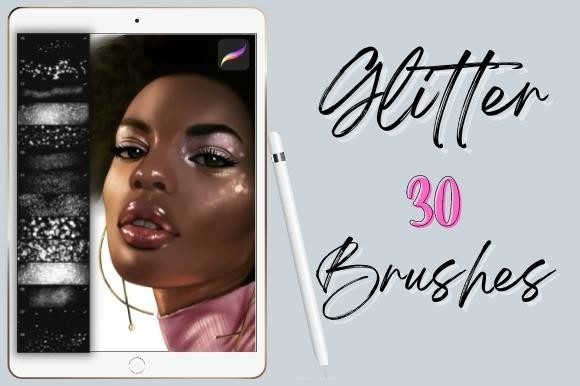
30 Procreate Glitter Brushes: Effortless Sparkle for Digital Art
There is a specific kind of magic that happens when light catches a textured surface just right. In the physical world, we see it on sequined fabric, metallic foils, or the fine dust of cosmetic highlighter. Translating that organic, tactile shimmer into digital artwork has historically been a tedious process, often requiring complex layering, masking, and blending modes. However, modern design assets have evolved to bridge the gap between static digital pixels and the dynamic nature of light. The Procreate Glitter Shimmer Brushes Set is a prime example of this evolution, offering a collection of 30 distinct brushes engineered to mimic the behavior of real-world sparkle without the technical headache.
For designers, marketers, and content creators, the ability to quickly add depth and luxury to a project is invaluable. These brushes are not merely static stamps; they are pressure-sensitive tools that respond to the flow of the Apple Pencil. This responsiveness allows for a level of nuance that separates amateur work from professional-grade digital art. Whether you are crafting a whimsical background for a children’s brand or adding a touch of glamour to a beauty advertisement, this set provides the versatility needed to maintain a consistent brand identity.
The Versatility of Color and Texture
One of the most practical aspects of the Procreate Glitter Shimmer Brushes Set is its color adaptability. Unlike traditional design assets where you are locked into a pre-set color palette, these brushes are designed to take on whatever hue you select. This feature is crucial for maintaining brand consistency. If a client requires a specific shade of gold or a unique iridescent blue to match their logo design, you simply select that color in the Procreate palette, and the brush texture applies it seamlessly.
The visual characteristics of these brushes range from fine, dust-like particles to bold, chunky sequins. This variety allows for sophisticated visual hierarchy. You might use a fine shimmer brush for subtle texturing in the background of a social media post, while utilizing a heavier, more opaque brush for the focal point of a greeting card. Because the brushes are pressure-sensitive, you can create tapered strokes that fade out naturally, adding a professional polish that static overlays cannot achieve.
Practical Applications for Branding and Marketing
In the competitive landscape of social media graphics and digital marketing, stopping the scroll is essential. A touch of shimmer can draw the eye to a call-to-action or highlight a key product feature. For entrepreneurs and small business owners in the beauty, fashion, or lifestyle sectors, these brushes are particularly effective. They can be used to create realistic makeup swatches, add texture to product mockups, or design festive promotional materials for holiday sales.
Consider the impact on brand perception. A design that incorporates tactile elements like glitter and shimmer often conveys a sense of playfulness, luxury, or celebration. This psychological association can influence how an audience interacts with a brand. For bloggers and publishers, using these brushes in header images or pull quotes can break up long blocks of text, improving readability and keeping the reader engaged longer. It transforms a flat digital page into an immersive visual experience.
Technical Considerations and Workflow Integration
While the aesthetic appeal is obvious, the practical integration into a workflow is equally important. These brushes are optimized exclusively for the Procreate App, ensuring maximum performance on the iPad. It is important to note that they function as a premium font or tool set does—they are specialized instruments. They will not function in Adobe Photoshop or Illustrator, so they are best suited for artists who do the bulk of their illustration and layout work within the Procreate ecosystem.
When evaluating how to use these brushes, think about the texture they leave behind. Unlike a flat vector shape, glitter brushes have "grain" and "noise." This texture adds a layer of realism that is vital for editorial design and packaging design. When mocking up a physical product, such as a cosmetic box or a wedding invitation, using a textured brush helps visualize how the final printed product might look if foil stamping or glitter ink were used. This ability to prototype effectively saves time and reduces errors in the production phase.
Elevating Personal and Commercial Projects
The utility of the Procreate Glitter Shimmer Brushes Set extends well beyond commercial client work. For hobbyists and crafters, these brushes unlock new creative possibilities. Creating digital stickers for planners, designing custom birthday cards, or illustrating fan art becomes more dynamic with the addition of light effects. The "wow factor" of a glittering digital painting is undeniable, and these tools make achieving that effect intuitive.
For those working in web design, these brushes can be used to create unique background textures or button highlights that stand out from the standard flat design trends currently dominating the market. While minimalism is popular, strategic use of texture can add warmth and personality to a user interface, making a website feel more inviting and less sterile.
Maximizing the Value of Your Design Assets
When you download this set, you receive a single zip file containing 30 unique variations. To get the most out of this collection, it is worth spending time testing each brush on a blank canvas. Experiment with different pressures and speeds to understand how the bristles scatter. Some brushes may look better for large, sweeping backgrounds, while others are perfect for intricate details like jewelry or eye makeup.
Furthermore, consider how these brushes interact with other design assets. They work beautifully in conjunction with sans serif fonts for a modern, clean look, or paired with script fonts for a more romantic, elegant vibe. The key to professional typography and illustration is contrast and balance. By using a shimmer brush, you can add a decorative element that complements your text without overpowering it.
Ultimately, the value of a tool lies in its ability to solve problems and enhance creativity. The Procreate Glitter Shimmer Brushes Set offers a straightforward solution to adding complex visual effects. By allowing the artist to control the color and pressure, it puts the creative power back in the hands of the user, ensuring that every project sparkles exactly the way it was intended. Whether you are a seasoned graphic designer or a content creator looking to elevate your visuals, this collection is a worthy addition to your digital toolkit.